Kodi Download 2022 Prebuilld Package Best
In this article, nosotros line up the best Kodi builds for FireStick, Android mobiles, Windows, Mac, and other Kodi-compatible devices. This listing includes builds uniform with both Kodi xviii Leia and Kodi 19 Matrix.
We take been testing these builds regularly and updating this mail service whenever the need arises. We would also love to hear about your experience. Please feel gratuitous to fill us in through the comments section below.
Legal Disclaimer: This tutorial is purely educational. FireStickTricks.com doesn't own, host, operate, resell, or distribute any streaming apps, addons, IPTV or services. The page contains some unverified services, and we are not certain whether they hold legal licenses to distribute the content. FireStickTricks.com does not verify the legality of each app/service in all regions. Do your due diligence if y'all use any of the unverified apps/services, and stream only content that is bachelor in the public domain. The end-user shall be solely responsible for the media accessed.
Kodi builds help in setting up Kodi by turning it into an ultimate streaming eye. But what is Kodi? Technically, Kodi is a free media middle software that tin be accessed across various operating systems. The awarding allows users to consume media streams, similar movies, TV shows, alive TV, and sports. Well, this technical definition of the best Kodi builds will only do justice to techies who already understand their mode around this great app.
In layman's language, think of Kodi as an unfinished firm basement. There are frames, a strong foundation, and trusses that concur the roof. These are what will hold everything else in your house. You lot will use the foundation to store items, use the walls for interior design, and the roof to put upward a nice ceiling. Kodi can exist divers in a similar manner. The application volition host components and addons that you will employ to stream media.
How Can You Apply Kodi?
What Is a Kodi Build?
A Kodi build is a nice fashion of getting everything up and running with Kodi. The build will install everything that you need to run Kodi with one click. That includes add-ons, settings, skins, and an electronic program guide (EPG), among other features.
Commonly, after you have installed Kodi on your device, you will take the fourth dimension to customize it how you want. That is, you volition find add-ons, skins, and settings that suit your intended use. Yet, builds offer you a one-click choice of installing all these add-ons that come up with plenty of content, besides equally . By going the Kodi Builds mode, you will save a lot of time that you might have otherwise used in searching and selecting specific add-ons. In my experience, using a build is the easiest way to download and stream content quickly and sufficiently.
What Are the Best Kodi Builds?
I am frequently asked, what is the best Kodi build I should use? Honestly, there is no piece of cake manner to answer this question. This listing has some nifty builds, and picking one over the other could exist challenging. Furthermore, every user has their own preferences, which should make up one's mind their choice.
That said, if I were to put a finger on one build, it would be the No Limits Magic Build. I do like this build; however, I am making an objective pick based on popularity. No Limits Magic is the well-nigh widely used and well-nigh downloaded of all the Kodi builds.
It is a thoughtfully designed build that caters to all kinds of Kodi users. Whether you are a new or sometime user, are a heavy or coincidental streamer, or have a high-end or low-spec device, the No Limits Magic build is for you. It also packs numerous high-quality video addons for all your streaming needs. Its elementary and fluid interface allows for an effortless, user-friendly experience. In unproblematic words, information technology is a must-endeavor Kodi build.
Best Kodi Builds 2022
Attention, Kodi Users!
Kodi Addons and builds offer unlimited streaming content, but could also go you lot into legal trouble if caught streaming free movies, TV shows, or sports. Currently, your IP is visible to anybody. Kodi users are strongly advised to always connect a VPN while streaming online. A good Kodi VPN hides your identity, bypasses government surveillance, geo-blocked content, and ISP throttling (which too helps in buffer-gratuitous streaming).
I personally employ ExpressVPN, which is the fastest and most secure VPN. It is very easy to install on any device including Amazon FireStick. You go iii-months complimentary and save 49% on its annual plans. Also, it comes with a 30-day money-dorsum guarantee. If y'all are not satisfied, you tin can always enquire for a refund.
Click Here to get three-months free and save 49% on ExpressVPN
Read: How to install and use a Kodi VPN
The following is the list of best Kodi builds:
1. Misfit Mods Lite
Works with Kodi eighteen Leia and Kodi 19 Matrix
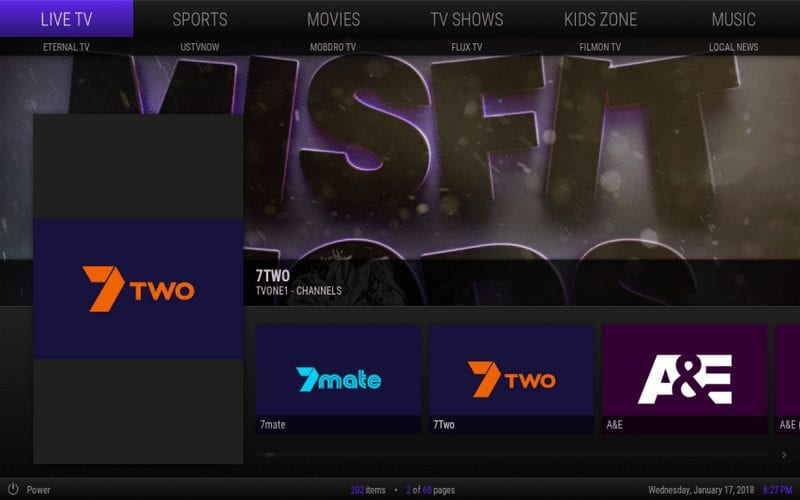
Most people desire to install Kodi on their devices and then that they can picket gratis music, TV series shows, movies, sports, and stream live sports. The Misfit Mods Low-cal Kodi Build volition give you lot all of these. It brings a wide assortment of video streams that include multiple sub-categories in each of its sections.
The Misfit Mods Lite comes with wonderful add together-ons similar Deathstar, SportsDevil, and The Magic Dragon. What an amazing way to enjoy a ton of costless content from all over the world? As a user, you will go all these in 1 bundle.
How to Install Misfit Mods Light Build
2. Grindhouse
Works with Kodi eighteen and Kodi 19

Grindhouse Magician offers a fresh and impressive library of more than than three dozen builds. Whether you lot have long migrated to Kodi 19 or still use Kodi 18, there are lots of builds for you to explore and experiment with. If yous accept a depression-spec device, there are a few lightweight builds that work smoothly on any system configuration. If you are looking for a feature-rich, fully-loaded build, there are once more a lot of options. Considering of its diverse collection of quality Kodi builds, we accept included Grindhouse to our list.
How to Install Grindhouse Builds Wizard
3. The Joker
Update: This build is no longer working — delight choose a different build from the list
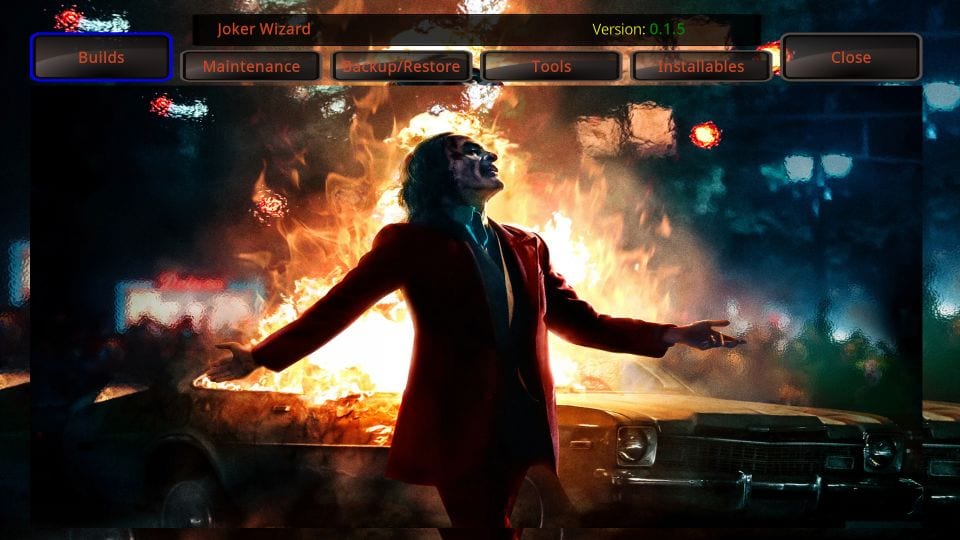
The Joker Kodi builds are a new addition to our catalog of best builds for Kodi. The Joker Wizard has over a dozen builds including The Bio-Hazard, The Crow, and more than. There are options for all sorts of Kodi devices, even the ones that run on low specs and RAM. Most of the builds work slap-up on FireStick and other TV devices, such as Android TV. All things considered, The Joker Builds are worth a endeavour.
How to Install Joker builds
4. Titanium Build
Works with Kodi 18 Leia only
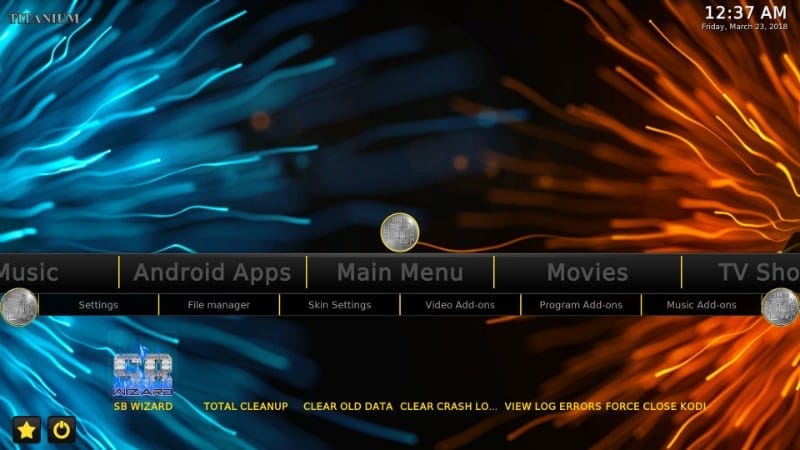
Titanium Build is equipped with a whole world of entertainment making information technology stand out among summit Kodi Builds. With this build, you will go to relish Live Sports, Live Idiot box, Movies, YouTube, Kids Zone, Sports Replays and Highlights, and Live TV for the major Britain and United states of america cable Idiot box channels.
In order to offer you with such a wide field of amusement, Titanium features numerous add-ons like DeathStar, Yoda, Gaia, SportsDevil, and more than. Its user interface is minimalist and clean for meliorate user feel.
Moreover, this build has been receiving consistent updates to ensure that it stays up-to-par with the present online media streaming world. If you are a Castilian user looking for the best Kodi Build, so the Titanium Build will perfectly suit you lot. This doesn't mean that it tin't serve the interest of other users. Really, it was made to accommodate the English users from the go!
How to Install Titanium Build on Kodi
5. No Limits Magic Build
Works with Kodi 18 Leia just
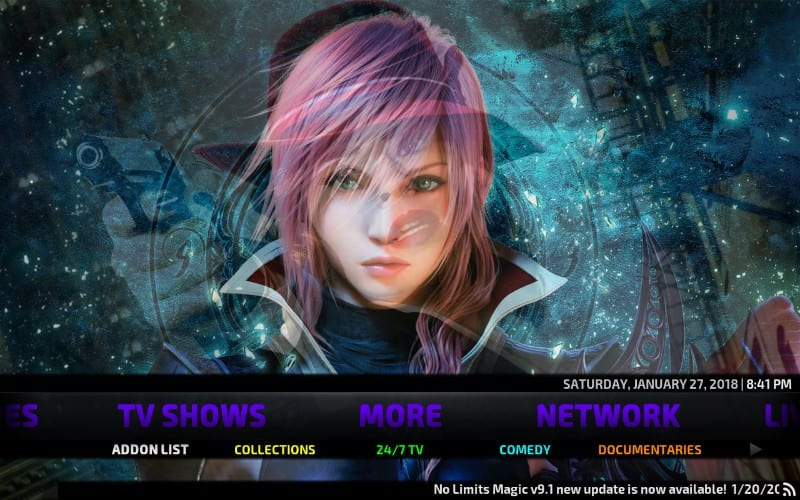
Most Kodi users have praised the No Limits Magic Build for its tons of capabilities when it comes to online entertainment. At the moment, it stands amidst the most comprehensive builds for Kodi. The fact that information technology features the Aeon Nox 5: Silvo Peel offers you a futuristic appearance. Well, you will never get to sympathise how Kodi skins influence your streaming experience until you get your hands on this Kodi Build.
In social club to lookout man regional restricted TV shows and movies, y'all will need to invest in a good VPN. I have already talked nigh the usefulness of a VPN when using Kodi and went a length further to recommend the best VPN for utmost anonymity and personal safety. To heighten your content streaming feel, No Limits Magic Build receives frequent updates where the non-working and one-time add-ons get replaced with new ones.
Amongst the most popular add-ons in this Build include Yoda, cCloud TV, Copy & Paste, Pulse Fitness, Sports Devil, The Magic Dragon, among others. With them, you volition get to relish unlimited music from both Britain and the US similar the old jazz song. You will besides stream movies, watch TV Shows, savor a whole world of sports, and bring complimentary Live U.s. and Uk TV channels in your firm!
Cheque out How to Install Kodi No Limits Magic build on PC besides as Burn down TV/Stick.
six. Slamious
Update: This Kodi Build is no longer working, delight attempt other Kodi Builds on this listing.
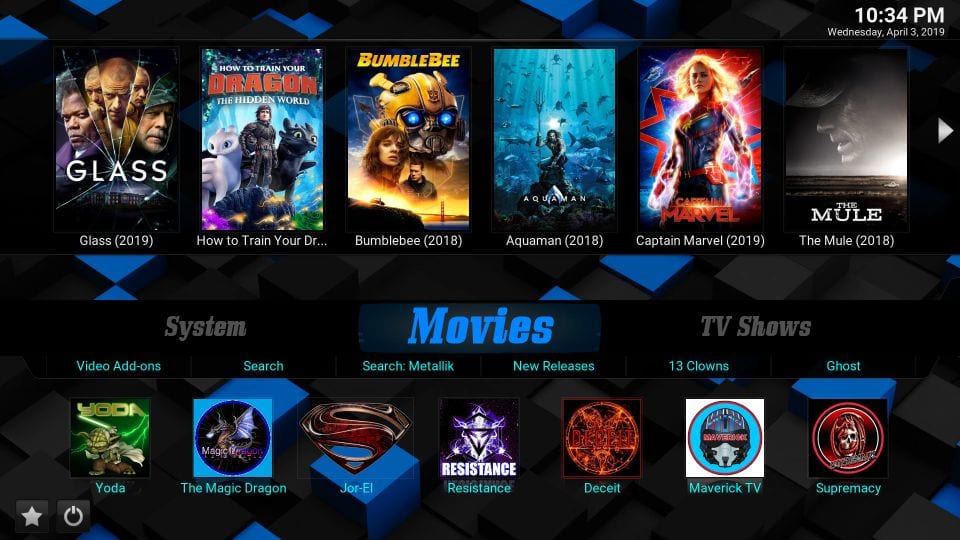
Slamious Kodi build is ane of the finest builds you would come up across these days. This moderately sized build works perfectly on all devices, even the ones with depression specs.
The Slamious build also packs a decent drove of video-addons that let you stream just almost everything you lot want. The user-friendly interface lets you get started quickly through a variety of streaming options right on the home screen. All in all, it is a great build to have and you lot should give information technology a effort. I am confident yous will like it.
How to Install Slamious Build
7. Neuromancer
Works with Kodi 18 and Kodi 19
The Neuromancer build is in the Ghetto Astronaut Repository. The standout features of the Neuromancer build are its interface and its lightweight nature. The Neuromancer build is designed with sections as well as subsections for an even easier and more than granular navigation experience. Visually, it uses the Ghetto Aeon Nox theme.
The main sections of the Neuromancer build include AIO (all in 1), TV shows, movies, kids, faves, music, and sports. Some examples of subsections are Butterfingers, Channels, Superflix, and Docula. These subsections were designed to make browsing easier.
Source Kodi 19: http://famdamnlyman.one/Matrix/Repo
Source Kodi 18: http://famdamnlyman.one/ghetto/ghettorepo
8. DaButcher
Works with Kodi 18 and Kodi 19
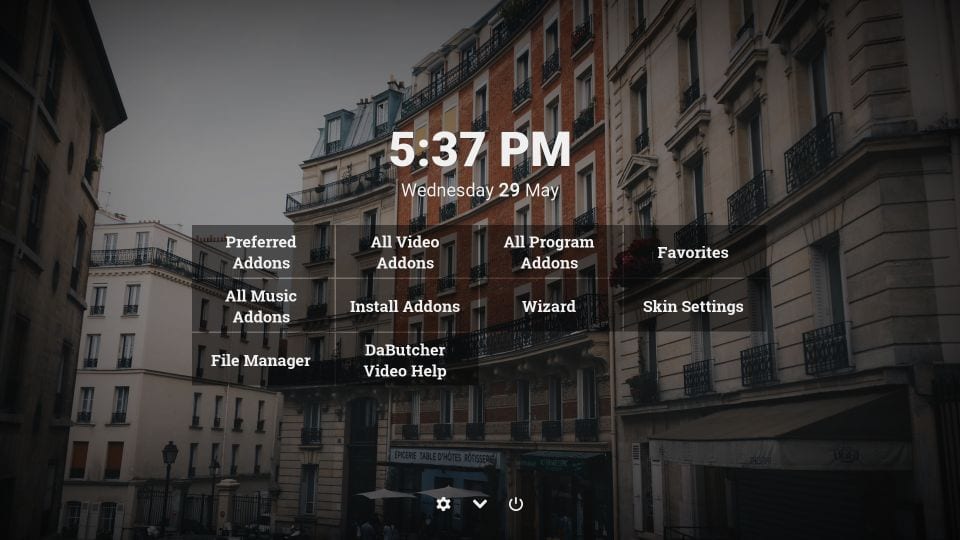
DaButcher is one of the best libraries of Kodi builds I have come across recently. This wizard does not boast of a long list of the builds. Equally I write, DaButcher has less than ten builds in its inventory. Even though it has only a handful of options, they make quite an impression. All its builds are good though DaLight impresses me the most. This lightweight build offers a completely new Kodi feel through its unique and fresh-looking interface. I recommend y'all to try the DaButcher.
How to Install DaButcher on Kodi
ix. Element (Chemical element Reborn)
Works only with Kodi xix
Element is some other popular Kodi 19-compatible build. Element comes with Seren, The Oath, and other addons. The Chemical element build can be found in cMaN'southward Wizard Repository. Element tin can be integrated with your Existent-Debrid account to give access to an even larger database of premium streaming links.
However, Chemical element goes a step further than most other Kodi builds by also supporting integration with Trakt. Users can sync their watch progress across all their content and will never be in short supply of the best streaming links available.
The categories that users can browse in the Element Kodi build are movies, shows, kids, and sports.
Source: http://cmanbuilds.com/repo
10. Atomic Matrix
Works only with Kodi nineteen
Atomic Matrix serves users with complimentary loftier-quality streaming links beyond movies, music, sports, Television receiver shows, live Television set, and kids' shows. Diminutive Matrix likewise has options for library, addons, and system settings. Its interface features an intuitive sidebar for navigation.
Atomic Matrix allows users to connect a debrid business relationship from Real-Debrid, LinkSnappy, AllDebrid, or Premiumize to access premium links. Furthermore, Atomic Matrix supports many of the most reliable and active costless Kodi addons, including The Oath, Asgard, and Alvin.
Source: http://misfitmods.com/mmwiz/repo
xi. Maze
Works with Kodi 18 only
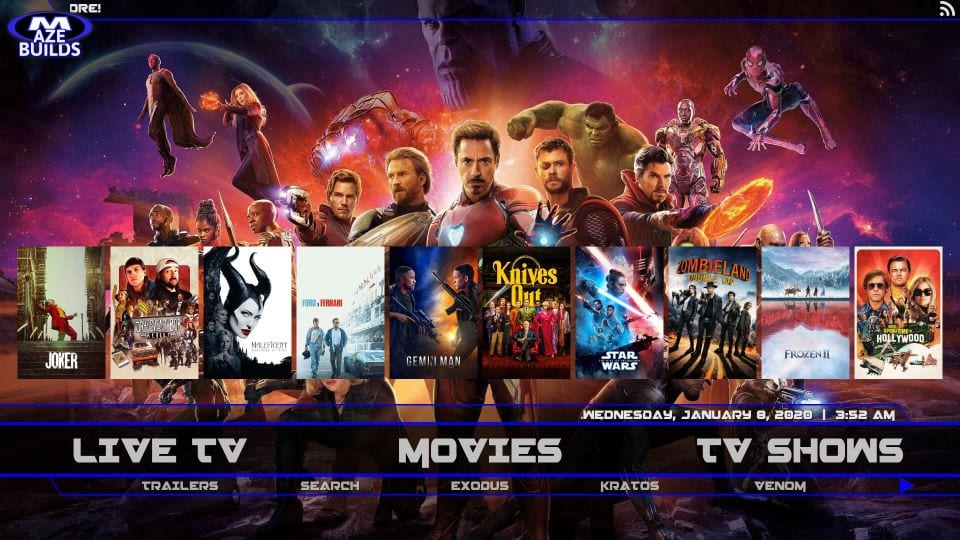
The Maze is i of the newer builds and also one of the latest entries to this collection of best Kodi builds.
The Maze Wizard features multiple builds. If you are looking for a lightweight and multipurpose solution, I would recommend the Maze Family Build from the listing.
This build works great on all the Kodi devices. Even if you have a device with low-specs (such every bit FireStick) you lot will non find any performance problems.
How to Install Maze Build on Kodi
12. Doomzday
Works with Kodi 18 and Kodi xix

DoomzDay Builds Sorcerer hosts a solid itemize for all kinds of Kodi compatible devices. In that location are lightweight builds that piece of work smoothly on low-RAM devices. They are perfect for FireStick and Android TV Boxes. You will too find some heavy builds that are feature-rich just work better on computers or spec-loaded mobiles.
Nevertheless, in that location are plenty of choices and I am confident you will observe something that suits you the all-time. These builds come with various popular Kodi addons that permit you stream all your favorite content. Give Doomzday a try, yous will not be disappointed.
How to Install Doomzday Kodi build
13. Steampunk
Update: Steampunk is not bachelor at this time
The Steampunk build can be found in the Phoenix Repository. Steampunk supports integration with debrid services, most notably with Real-Debrid. Users tin can change the look of Steampunk by installing the Steampunk Fanriffic Theme Repo.
The Steampunk Kodi build has well-organized categories, simplifying the process of finding high-quality content. From the Steampunk home screen, you can navigate to TV shows, movies, or favorites to get-go watching. Other dwelling house screen options include system, addons, and debrid.
Source: https://phoenixkodi.com/repo
xiv. Silvo
Works with Kodi 18 but
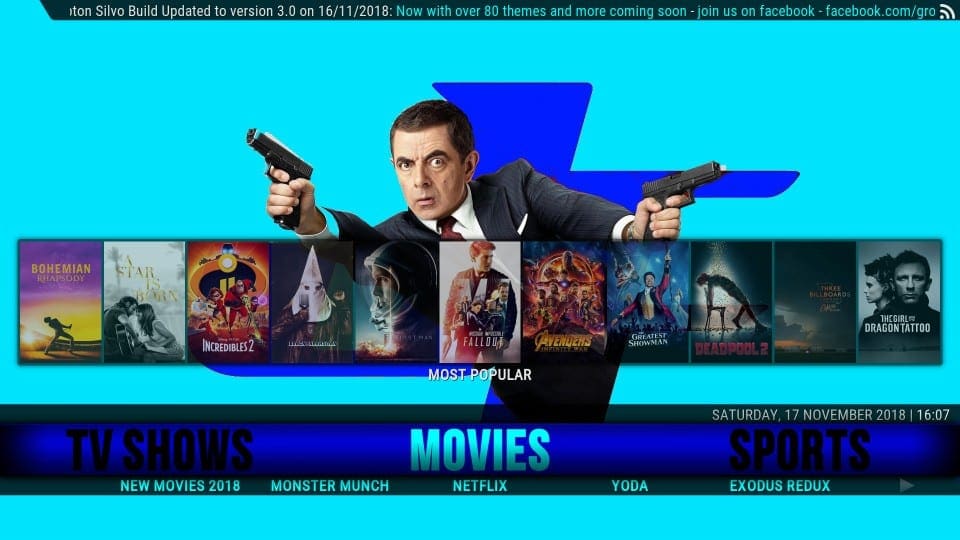
This MutliBuild Wizard is adequately new and it doesn't accept a lot of builds. In fact, information technology hosts but two builds for Kodi Krypton and Kodi Leia. Silvo build is available for both versions of Kodi. It is a comprehensive, nevertheless lightweight build that takes intendance of all your streaming needs. With plenty of preloaded addons, you lot can instantly starting time watching on-need content similar movies, shows & documentaries, live Television & sports, content for kids, and more.
Initially, the build weighed more 540 MB when installed, but it has been trimmed down to around 250 MB to offer meliorate performance on FireStick and other devices with depression-specs. The Silvo offers a nifty, shine interface with the regular layout you are familiar with. The home-screen of the build lines upward the featured content. You can dig deeper to explore more. I have tried Silvo and I am confident it must be the part of this listing.
How to Install Silvo Kodi Build
15. Xenon
Works with Kodi xviii and Kodi xix
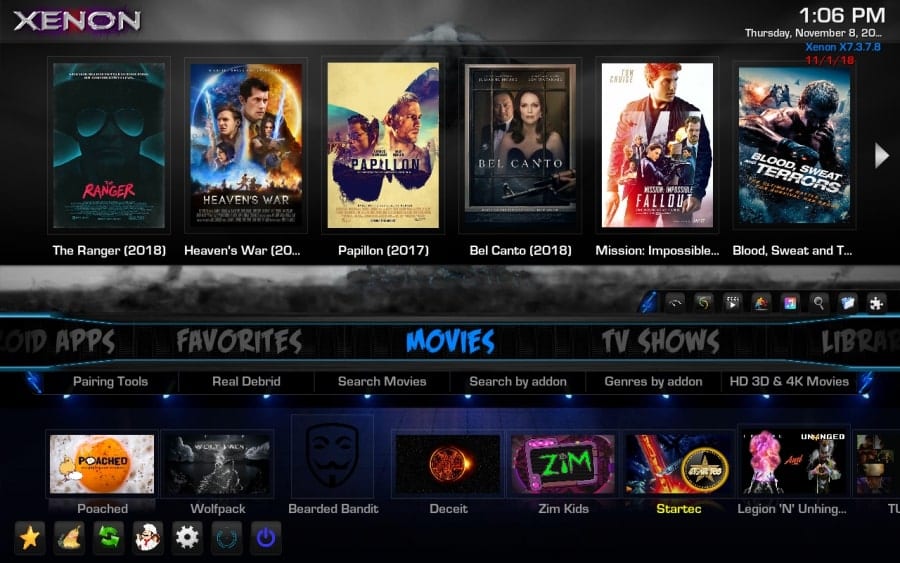
The XENON Build (at present likewise chosen Diggz Xenon Plus) is ideal for users who would like to install Kodi on Android TV boxes and Burn down Stick devices. This Kodi build comes with a UI that features a section for pop Android APKs and Android devices that you tin use to stream videos or play Android games. It'south piece of cake to use user interface ensures that you lot don't take to go out of your way when starting out on the build.
XENON comes with numerous sections that will get every blazon of user covered. The Television Shows section has content for every blazon of users. If you love romance shows, you volition become the content therein. In case you are an Activeness TV series junkie, there is up-to-date content for your binge-watching experience. In instance yous are a family, be sure to get some family-friendly content.
Other sections include movies, sports, music, and much more. Just like Goggle box Shows, these sections have been subdivided into sub-menus. For example, the sports section has sports categories like PPV & Events, Fishing and Hunting, Sports Replays, among others. XENON features popular add together-ons like IT, Numbers, cCloud TV, DejaVu, Seren, VooDoo, and more than
Wizard URL – http://grumpeh.aion.feralhosting.com/repo/
How to Install Diggz Xenon Kodi Build
sixteen. The Grind
Works with Kodi 18 only
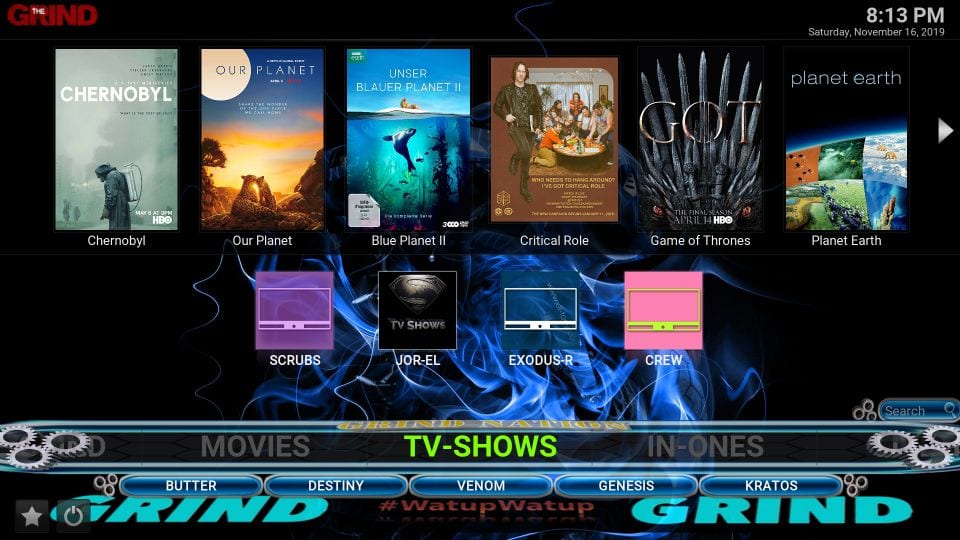
From the developers of the incredible Burn TV Guru Build (now discontinued) comes another quality build – The Grind. Only similar Fire Boob tube Guru, the Grind build works smoothly on Fire Goggle box likewise every bit other platforms including computers and mobiles.
The Grind offers several preloaded addons including 7 Of 9, Venom, and more than. It offers streaming options in various media categories such equally Movies, Shows, Live Tv, Sports, Kids, etc.
This build offers smooth performance and is piece of cake to use. Therefore, it has been added to this list of the Best Kodi Builds.
How to Install The Grind Kodi build
17. Plutonium
Works with Kodi 18 only

Plutonium build is the part of the huge arsenal of builds from EzzerMac's Magician. This Sorcerer has a huge line-up of in-house builds and information technology too catalogs third-political party builds from other developers. Plutonium is easily one of the best Kodi builds in its collection.
If you lot are into flashy, vibrant themes, there is a good chance you lot volition similar Plutonium. But, it is not simply about the visuals. As you expect from any good build, it packs an array of pop Kodi addons for Alive TV, Sports, Movies, Shows, and all sorts of video content. The Magic Dragon, DeathStar, Yoda, SportsDevil are some of its featured addons. But, in that location are others as well.
Plutonium is a lightweight with a download size of less than 160 MB. Therefore, it offers top operation on all platforms, even FireStick, which is considered a low-spec media device. Since information technology is small in size, the build doesn't have a lot of features. Yet, it covers all the nuts and makes sure you are never short of content for streaming.
How to Install Plutonium Kodi Build
xviii. CellarDoor Television
Works with Kodi 18 only
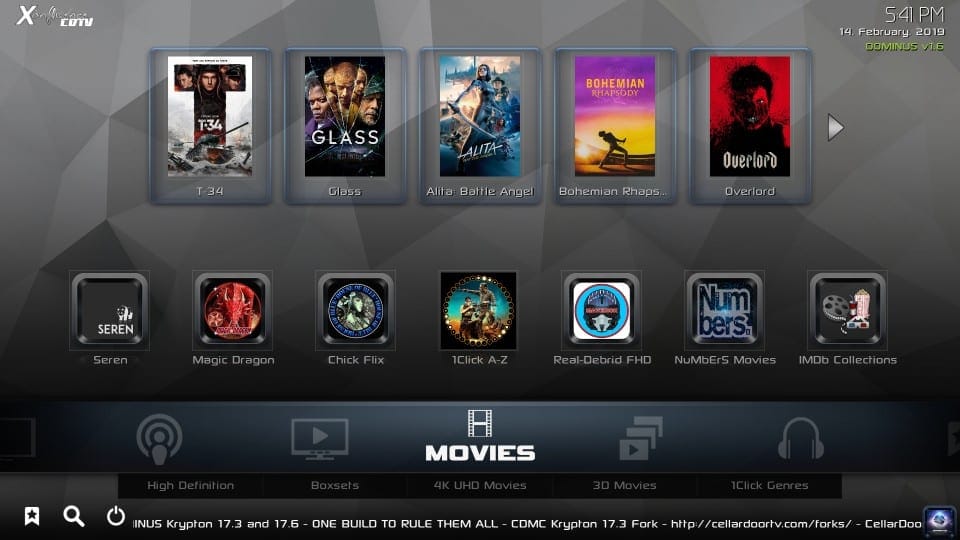
CellarDoor TV Wizard, part of the eponymous repository, rounds up some of the finest Kodi builds you will detect these days. This Wizard is abode to multiple Krypton builds. Each build merits a spot on our best Kodi builds catalog separately. But, since they are a office of a CellarDoor Television receiver arsenal, I take taken the liberty to put them together under i roof.
All these builds come with an impressive line-up of the latest and operational addons for a range of media choices including The Magic Dragon, DeathStar, SportsDevil, Seren, Numbers, and many more. Considering speed, ease of navigation, stability, and collection of addons equally parameters, I will put Dominus ahead of the ii. Notwithstanding, Infusion and Sonar are not too far behind. That'due south my opinion though. Cellar Door TV Magician has also added new namesake builds 'Cellar Door'. All the same, they are available only for Kodi xviii Leia.
How to Install CellarDoor TV Builds
19. SG Wizard
Works merely with Kodi nineteen
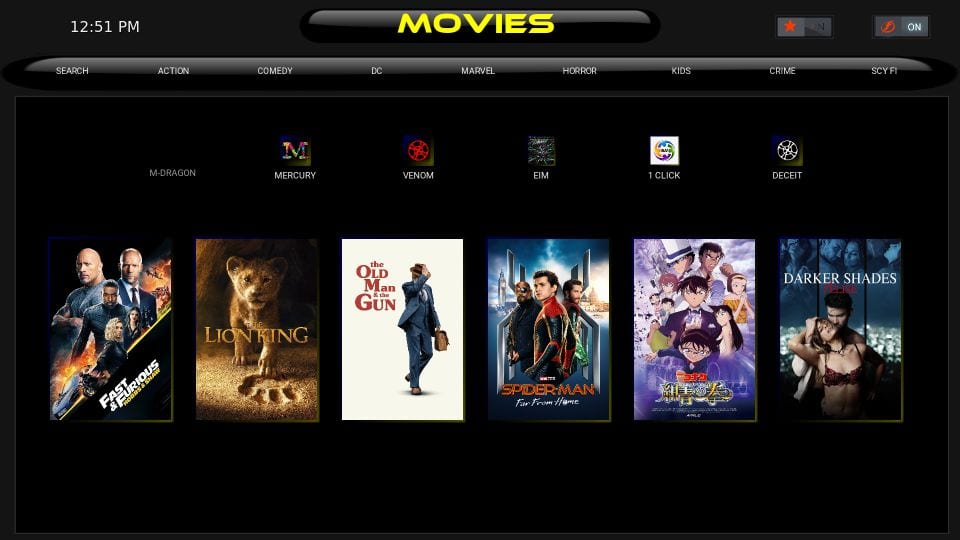
Ezzer Mac developers have been offering a compelling line-upwardly of builds and addons over several months. And, now they have come up with an entirely new wizard called SG Sorcerer that hosts a agglomeration of builds separately from their main EzzerMac Sorcerer.
SG Magician has a small but solid collection of builds for Kodi Leia 18. Currently, at that place are no builds for Kodi Krypton. All its builds offer somewhat a unique layout. They are also lightweight enough to work smoothly on all the Kodi supported platforms. With a decent library of video-addons, the builds also make sure you never run out of streaming options.
How to Install SG Wizard Builds on Kodi
20. Duff Lite
Works with Kodi 18 only
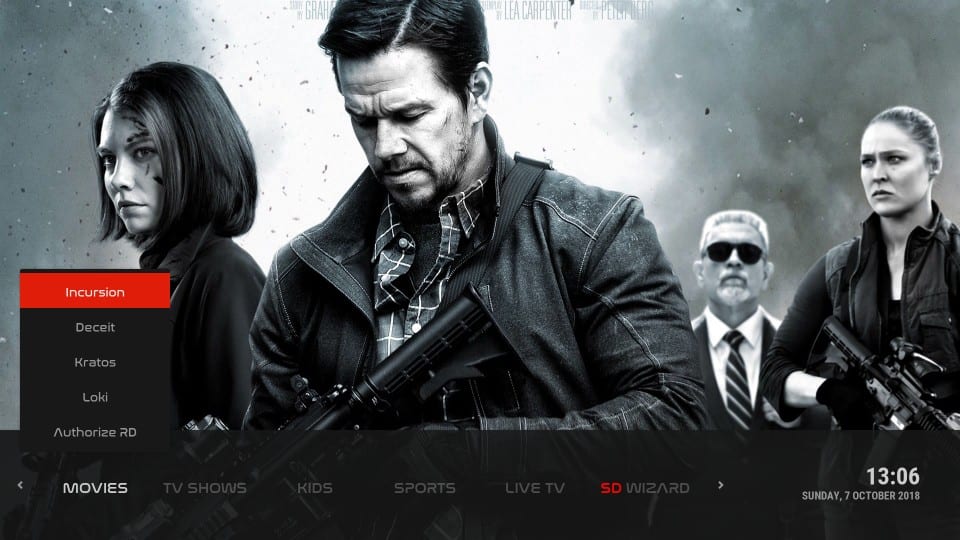
Duff Light is an incredibly lightweight build, which is perfect for TV streaming devices like Amazon FireStick and Android Boxes. You could install it on your computer besides, just it wouldn't exist keen to interact with. When you lot install it on your PC, in identify of mouse cursor you see a little flag saying that mouse is not supported. You lot may still apply the mouse, simply navigation wouldn't be easy. In fact, navigation isn't very smooth even without the mouse. It takes a fleck of doing to get to the items y'all desire to access.
Duff Lite is a minimal and neat build. The developers have removed all the non-essentials to keep the build light. Therefore, you lot wouldn't find a big drove of addons here. But, it has some skilful working addons similar Kratos Reborn, etc. They should be enough for most types of videos. If you demand more, y'all can ever install additional addons. If yous are looking for a lightweight, fuss-gratuitous, simple and neat looking build, you may want to consider Duff Light.
How to Install Duff Light Kodi Build
21. Hard Nox
Works with Kodi 18 and Kodi 19
Just like the "No Limits Magic Kodi Build," the Difficult Nox uses the Aeon Nox 5: Silvo Pare. This Kodi Peel offers you a futuristic advent. Only like all the other builds, it comes with crawly add-ons like SportsDevil amidst others.
The menus are located at the bottom of the screen. Amongst the notable sections include Goggle box Shows, 24/vii content, Pop content, Movies, and Kids content. Each of the department is further niched downwards to subsections in a move that is tailored to heighten the user experience.
How to Install Hard Nox Kodi build
22. EzzerMacs
Works with Kodi 18 Leia and Kodi 19 Matrix
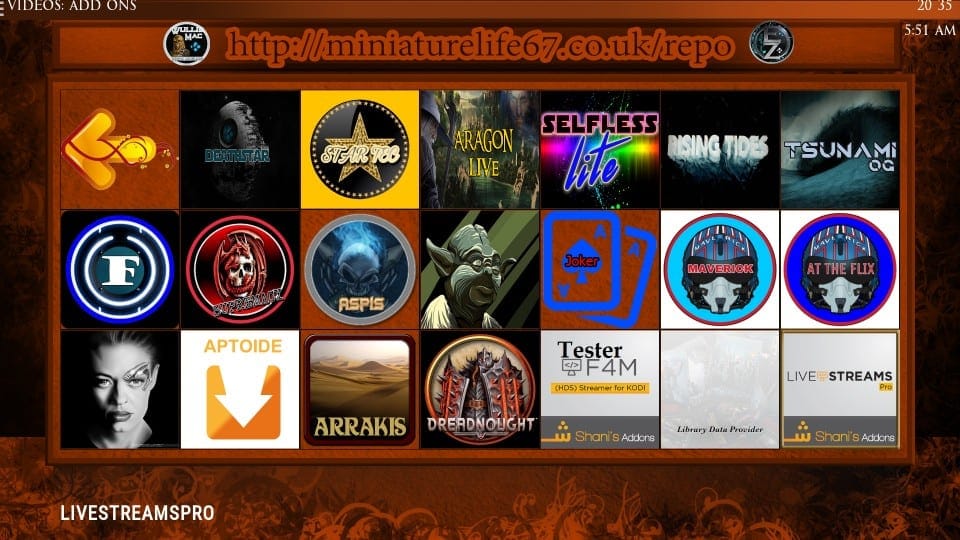
EzzerMacs is a storehouse for dozens of Kodi builds, both in-house and from the third-parties. Whether y'all are using the latest Kodi 18 Leia or nonetheless streaming on Kodi Krypton, there are enough of builds to selection from.
The Wizard comes in two variants – EzzerMacs & EzzerMac. The distinction in the name is so small, I almost missed it the first time I looked at it. But, in that location is enough of departure in terms of what they offer.
EzzerMacs is your regular wizard with a rather text-based interface. It gives you access just to the in-house builds. EzzerMac, on the other manus, is more graphical and interactive and too in-house builds, hosts dozens of Kodi builds from third-party developers.
If yous are looking for a source with lots of working builds, EzzerMacs is what you would want to try.
How to Install Ezzermacs builds
23. Innovation
Works with Kodi xviii Leia only
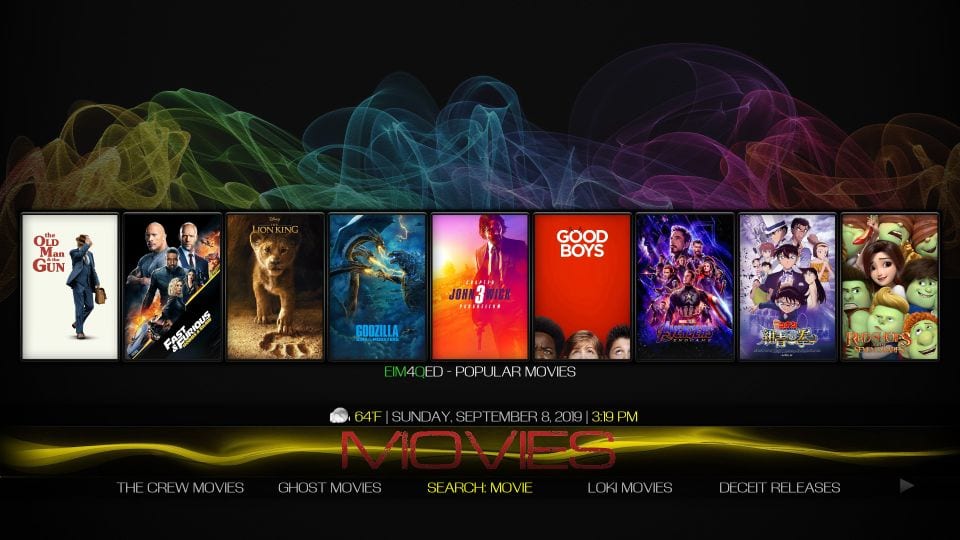
Innovation Builds Sorcerer currently offers two builds – Innovation Colors Adult and Innovation Colors Family. Both these builds offer plenty of streaming choices. The Adult version comes with an extra category for mature content.
Both builds are adequately-sized allowing smooth operations on a broad range of Kodi devices. You volition also find a small merely effective library of Kodi addons including Numbers, The Magic Dragon, and more.
The interface of the build is convenient. The trending movies and shows are available for streaming off the abode window. You can explore the addons further for more content. The familiar carte-bar and submenu-bar layout combination makes the build piece of cake to navigate and explore.
How to Install Innovation Builds on Kodi
24. Maverick
Works with Kodi xviii Leia and Kodi 19 Matrix
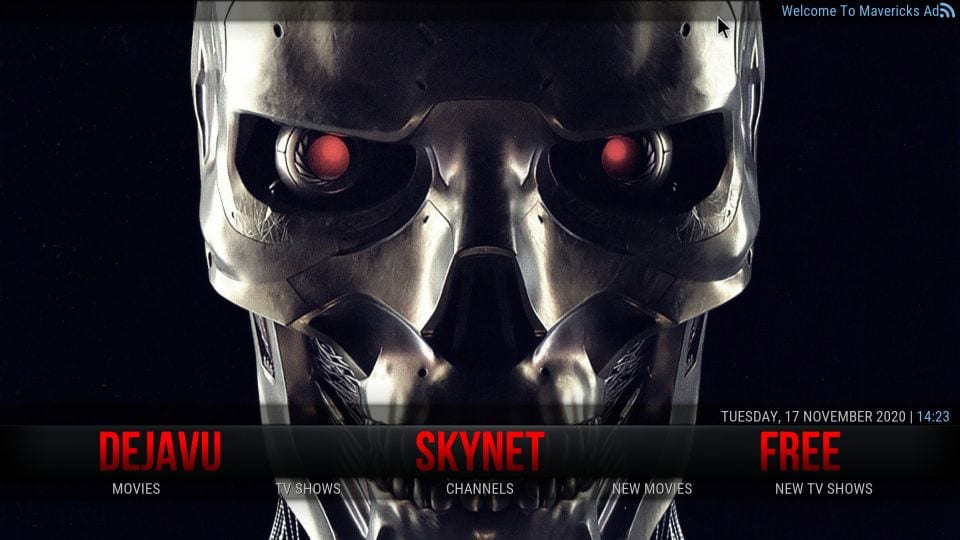
Maverick is another fine build you tin attempt. Maverick Magician contains a drove of a handful of builds that can be hands installed on any device of your choice including FireStick, Android TV, PC, Mac, Android Mobiles, and more.
All the builds I accept checked have worked great on all my devices. They are lightweight and fast. Yet, a couple of builds may not have the almost convenient interface.
Maverick Kodi builds likewise come with a decent drove of preinstalled addons.
How to Install Maverick Build on Kodi
25. Zilt
Works only with Kodi 18
Like many of the other Kodi 19 Matrix builds, the Zilt build does not host its own content. Instead, information technology provides users with links to sites where they tin can stream and download their favorite video content. The build sorts all the streaming links and content in its database into dandy and properly labeled categories. This makes it easier for users to find links to the kinds of content that they like and are looking for.
The content categories on the Zilt build are family, sports, music, Boob tube shows, and live Boob tube. The Zilt build offers an impressive array of sports: tennis, volleyball, soccer, basketball, rugby, and many more. Users can likewise access sports like chess and darts. Beyond sports, users tin can listen to music, picket Goggle box shows, or watch alive Television receiver. In Settings, users can access system information, make changes to their profile, and customize the build's interface.
The Zilt build uses the addons Alvin, Seren, Black Lightning, and DejaVu to provide high-quality streams compatible with Kodi 19 Matrix. It also supports integration with Real-Debrid, which allows users to unlock even improve-quality streams.
Source: http://ezzer-mac.com/sg/wiz
26. Matrix
Works only with Kodi eighteen
The Ghetto Astronaut Repository hosts the Matrix Kodi build in add-on to some of the other best Kodi builds. It is important to note here that the Matrix build and the Atomic Matrix build are 2 unlike Kodi builds.
Matrix uses The Oath and other video addons to pull loftier-quality links. The build has the categories movies and TV shows, which are further divided into subcategories. Favs, accessible from the habitation screen, stores all your favorited content. You can also use addons and change settings within the build for additional customization. Matrix has a pleasing interface to go with its neatly arranged categories.
Source: http://famdamnlyman.one/Matrix/Repo
27. Alienware
This Build is currently unavailable
Alienware is amongst the tiptop builds for Kodi. Information technology is 1 of the well-nigh reliable and high-quality builds available on both Kodi 18 and Kodi xix. Alienware can be found in cMaN'south Wizard Repository. This repository is home to several other reliable Kodi 19 builds, such as Element and Fallout.
The Alienware Kodi build has some of the best addons and Kodi plugins currently available, giving you admission to a great diversity of content. Information technology provides access to Black Lightning, The Oath, Complimentary, SportHD, and many more Kodi nineteen Matrix-compatible video addons. Alienware can too seamlessly integrate with Existent-Debrid, which volition give you access to better-quality streaming links.
Alienware'south interface is designed to allow users to easily detect the kinds of content they're looking for. Some of the categories are TV shows, movies, music, and sports. It also has a search feature that allows y'all to search for categories, Television shows, and movies.
How to Install Alienware Kodi Build
28. Xanax
Update: This build is currently unavailable
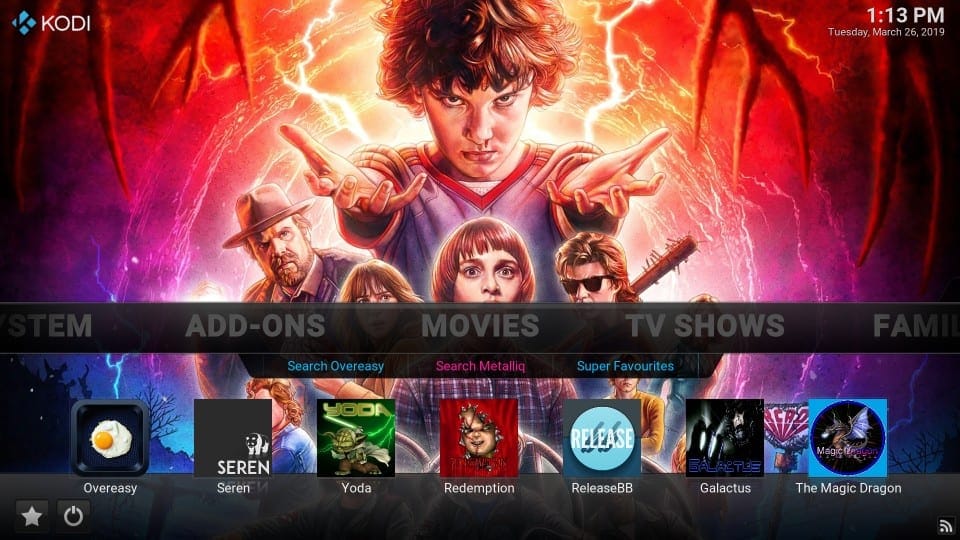
Xanax Kodi build is the offering from the same developers who designed Durex build. The in one case very popular build is no longer functional. Notwithstanding, information technology was i awesome build and many users who used information technology are nevertheless looking for its alternative. Thankfully, in that location is one at present – Xanax.
The Xanax build has about the aforementioned interface design and layout as Durex. It is virtually the same size also. Even though I wouldn't telephone call Xanax a clone of Durex, information technology is virtually akin.
With a solid library of height Kodi addons like Yoda, Exodus Redux, The Magic Dragon and a user-friendly interface, Xanax build makes information technology to this list.
29. Xontech
Update: The Xontech build is currently unavailable
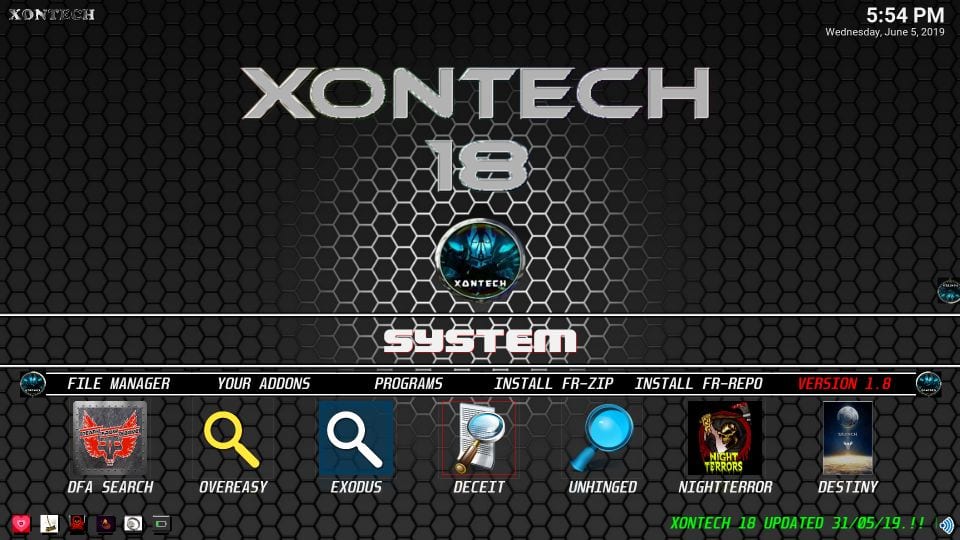
Xontech build comes from the pop developers Team Falcon, who accept already given united states plenty of decent addons and builds. It has a visually pleasing design simply without whatsoever fuss or complications. The navigation is unproblematic and straightforward. There are plenty of pre-installed add-ons that are working, popular and already on our list of Best Kodi Addons. The build also has many Program add together-ons for maintenance and utility. I have a feeling that information technology will be a pop build shortly. I have given it a attempt. You lot may desire to do that too.
How to Install Xontech Kodi build
30. Streamline
Update: The Streamline Build is no longer bachelor. The Streamline guide now links to the NightShade build. You may also explore other builds on this list.
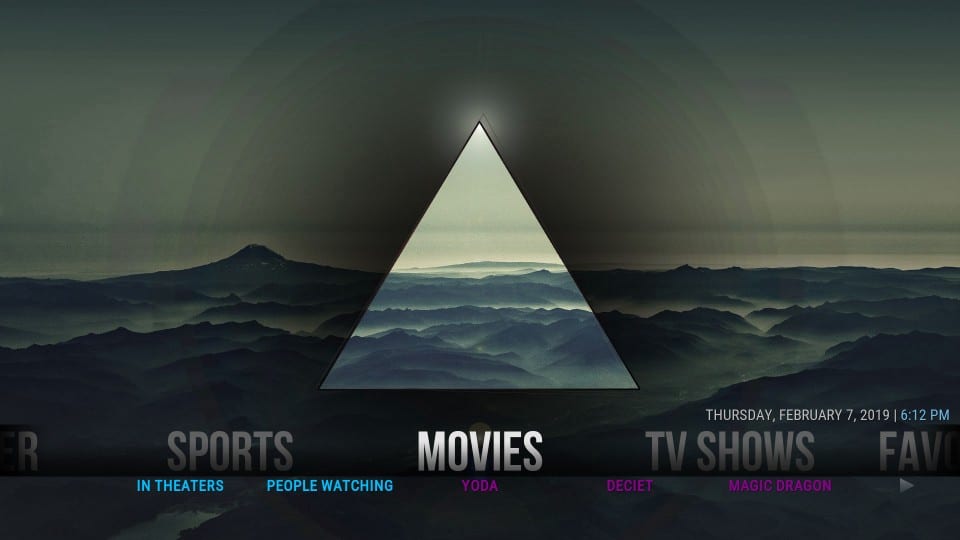
Streamline is another quality build that works flawlessly on Kodi 18 Part of the Whiz Child Magician, this build brings to you a decent rally of video add-ons for all kinds of streaming needs. You can play your favorite movies and TV shows, live Television, sports streams, and a lot more than through popular add-ons like Exodus Redux, The Magic, and plenty others.
The biggest draw of this build is its size. It is a lightweight build that offers great functioning on all Kodi devices, including the ones with low RAM and processing power, such as FireStick. What I also like virtually Streamline is its simple, neat and easy-to-get-used-to pattern. It lays out the important elements for quick access without whatever fuss or frills. Even if you lot are a first-time build user, you will get the hang of it in no fourth dimension. The developers have carefully chosen the font blazon, style and size to afford complete legibility.
Despite the small size, Streamline doesn't miss out on a single important feature. As I said, you lot can stream only about anything you lot desire. All in all, Streamline is a nice Kodi xviii.nine build to have.
How to Install Streamline build on Kodi
31. Insomniacs
Update: The Insomniacs build is currently unavailable
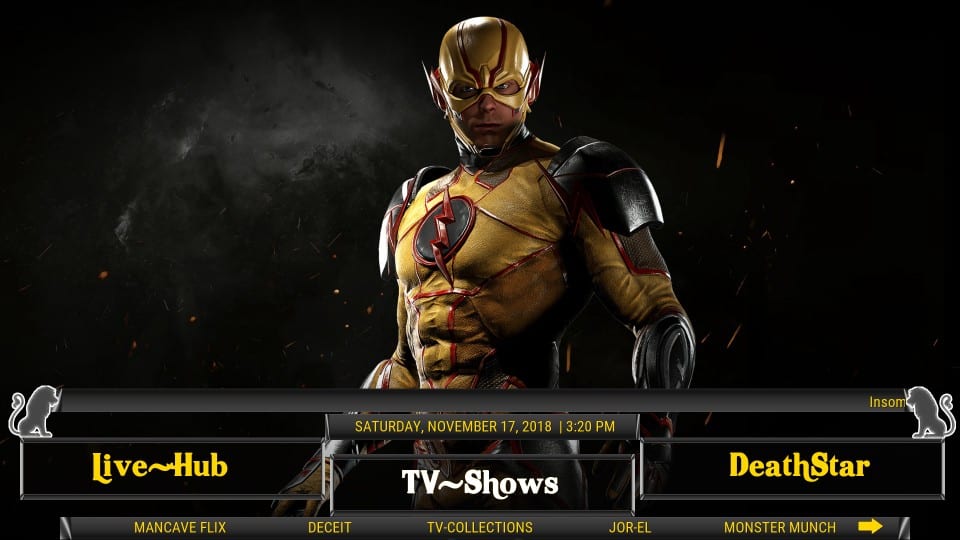
Insomniacs is another storehouse for a couple of Kodi builds. Currently, Insomniacs Sorcerer has merely 2 builds for Kodi xviii Leia and none for Kodi Matrix nineteen. While both its builds are skillful, the Black and Gold Build clearly stands out.
Fifty-fifty though Team Insomniacs doesn't accept a lot of builds to offer, the existing ones are good plenty for nearly users. These are moderately sized to make sure they perform well on depression-spec streaming devices similar FireStick and Android boxes. Nonetheless, they are nonetheless large enough to embrace all the basics yous expect from whatsoever build or even a little more.
Black and Gold is good for beginners, but the experienced users looking for a simple and light build may also find information technology interesting.
How to Install Insomniacs Builds
32. Blue Magic
Update: Blue Magic build is no longer available — please try other builds from the listing
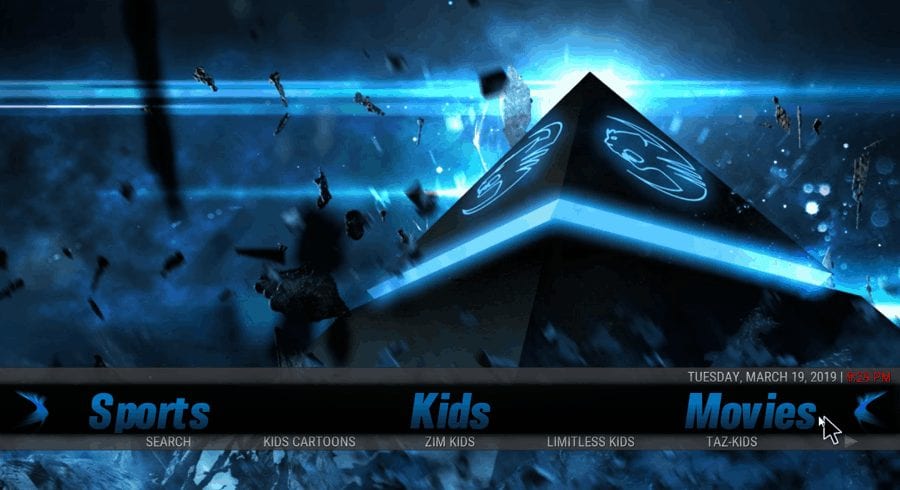
Blue Magic build is i of the latest additions to our catalog of Best Kodi Builds. Information technology comes from Luxury Build Magician, which also hosts a handful of other builds for Kodi eighteen. Blue Magic has a sleek interface and a decent drove of video addons for a diverseness of streaming options.
Y'all can become started right from the home screen by exploring the categories like Live Television, Sports, Kids, Movies, Tv set Shows, and more. You lot may dig in deeper and browse the complete list of addons too where you volition detect popular names like Monster Munch, Yoda, DeathStar, cCloud TV, The Magic Dragon and more than.
How to Install Bluish Magic build on Kodi
33. Equinox
Update: The Equinox build is currently unavailable. Please endeavour one of the other builds from this list.
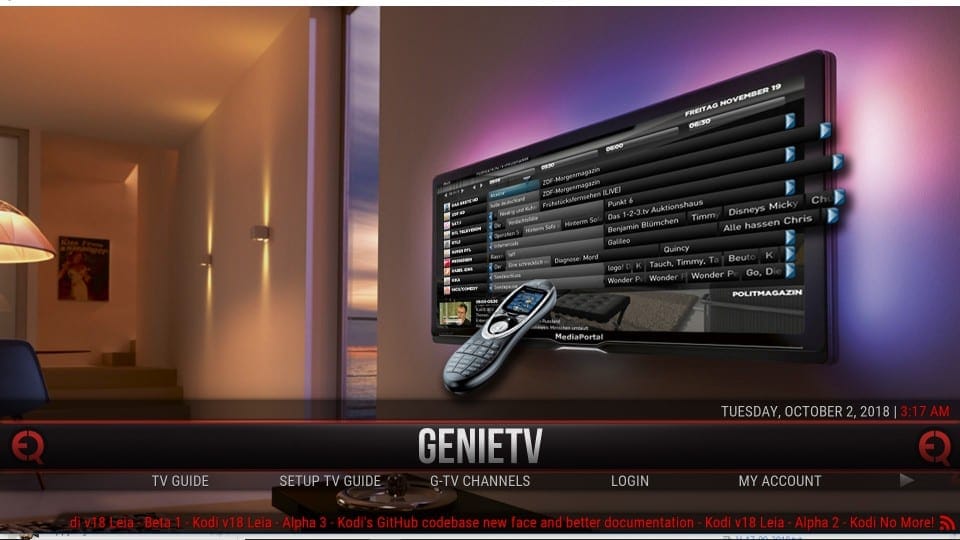
Equinox makes information technology to our list of top builds for its neat and hassle-free layout and minimal interface. It is a big-size build that will accept nearly 660 MB of the device space after installation. That'due south pretty big for a build and non good for low-storage devices similar FireStick. It worked smoothly on my calculator but was slow on FireStick.
Equinox features just a handful of addons including Genie Tv, Genie TV Sports, Yoda, SportsDevil, etc. Sadly, in that location aren't a lot of choices for Live TV and Sports. The developers have their in-house Genie TV app, but it requires a premium membership, which could toll you near $xiii a month. The build doesn't have a lot of addons and is not exactly what yous call 'feature-rich.' That makes me wonder why does is information technology so big in size. Information technology'due south not a bad build, just in that location are better ones on this list.
Wizard URL – http://genietv.co.uk/repo/
How to Install Equinox Kodi Build
How to Use Kodi Builds Safely
Before you start streaming with Kodi Addons or Builds, I would like to warn you that everything you lot stream on Kodi is visible to your ISP and Regime. This means, streaming copyrighted content (free movies, TV shows, alive Idiot box, and Sports) might go you into legal problem.
Thankfully, there is a foolproof way to keep all your streaming activities hidden from your Isp and the Authorities. All you need is a practiced VPN for Kodi. A VPN will mask your original IP which is and volition assist you bypass Online Surveillance, ISP throttling, and content geo-restrictions.
I personally use and recommendExpressVPN, which is the fastest and well-nigh secure VPN. It is compatible with all kinds of streaming apps and devices.
Note: We exercise non encourage the violation of copyright laws. Just, what if you end upward streaming content from an illegitimate source unintentionally? It is not e'er easy to tell the deviation between a legit and illegal source.
So, before y'all outset streaming on Kodi, hither'south how to get VPN protection in 3 simple steps.
Step 1: Get the ExpressVPN subscription HERE. It comes with a 30-twenty-four hours money-back guarantee. Pregnant, you tin can use it free for the first 30-days and if you are not satisfied with the performance (which is highly unlikely), you can inquire for a total refund.
Step 2: Click Hither to download and install the ExpressVPN app on your streaming device. If y'all are using a FireStick, I have given the exact steps starting with Pace 4 below.
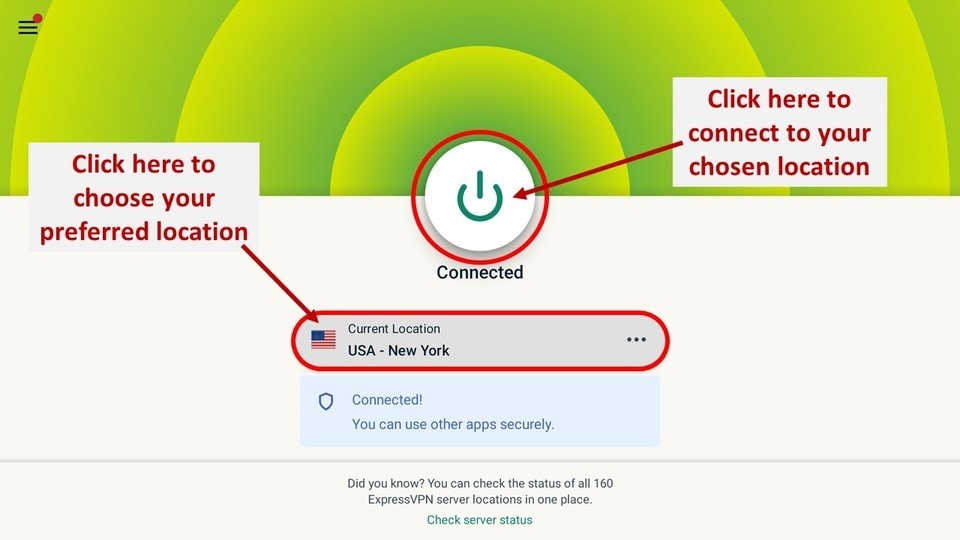
Step 3: Click the Power icon to connect to a VPN server. That's all. Your connection is at present secure with the fastest and best VPN for Kodi.
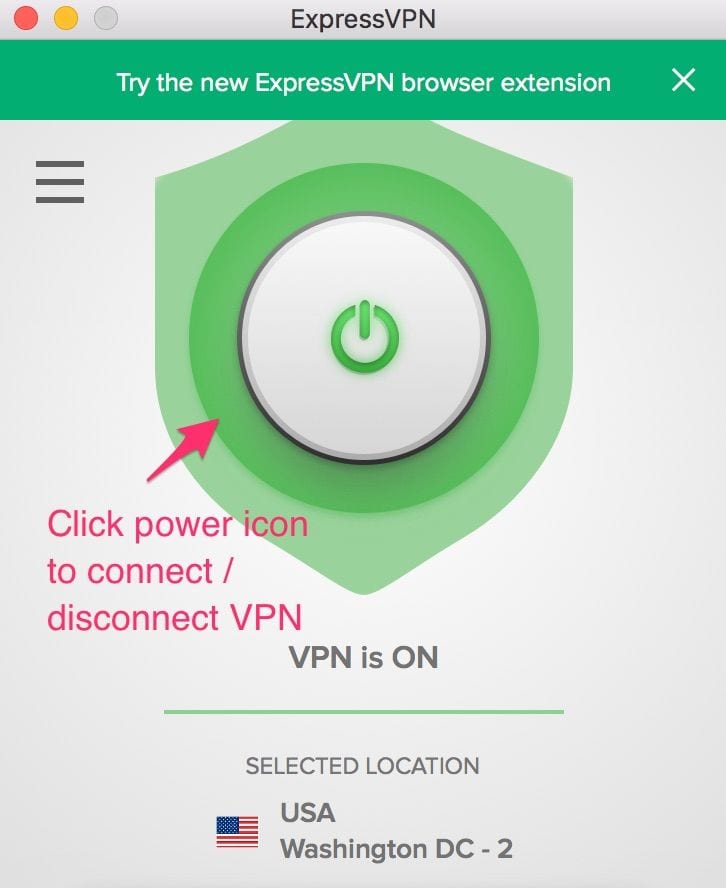
The following are the steps to install Kodi VPN on your Fire Television receiver devices. If you have other streaming devices, follow Step ane-iii above.
Stride 4: Subscribe to ExpressVPNHere (if non subscribed already) .
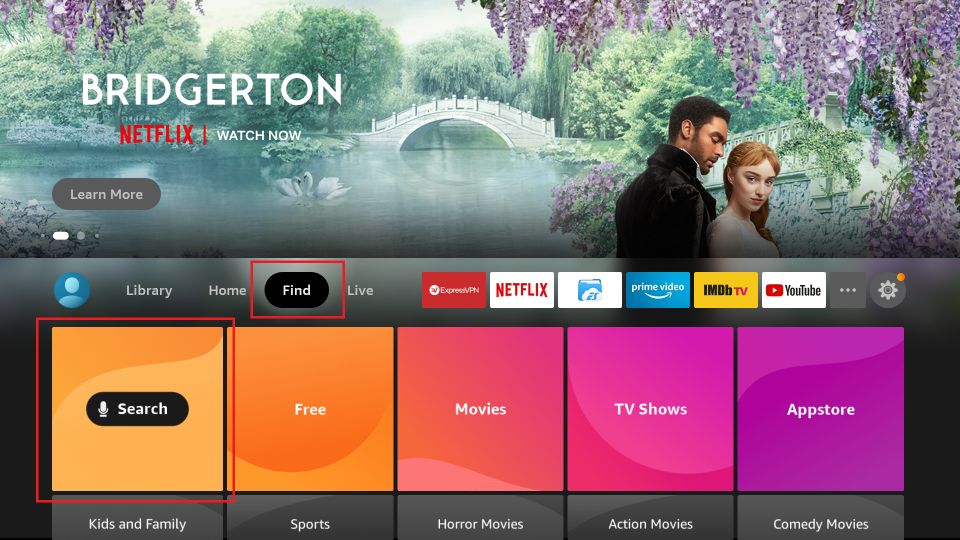
Footstep 5: Get to Burn Television set Stick domicile screen. Click Find followed past Search option (run across epitome beneath).
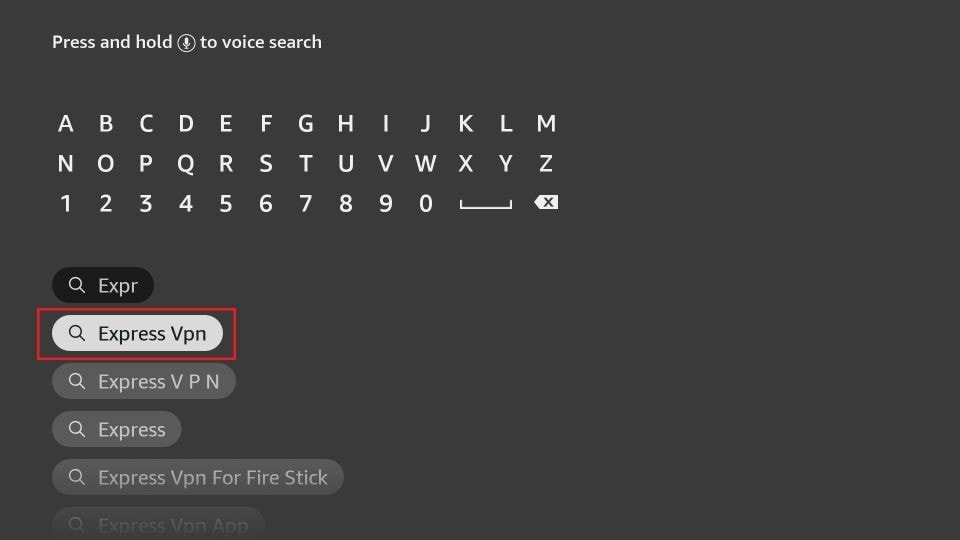
Stride 6: Type Expressvpn in the search bar and select when it shows up.
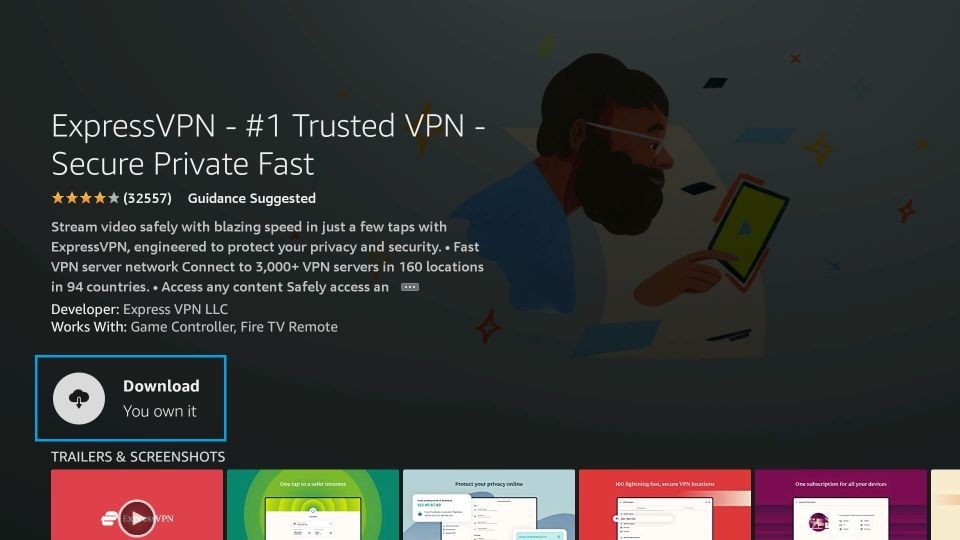
Pace vii: Click Download.
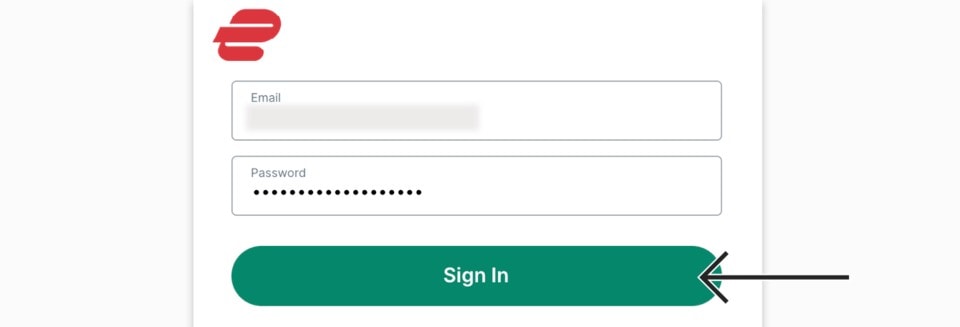
Pace 8: Open the ExpressVPN app and Sign in using the e-mail ID and countersign that you created while ownership the ExpressVPN subscription.
Stride 9: Click the Power icon to connect to a VPN server. That's all. Your FireStick is now secured with the fastest VPN.
What Else can Kodi Do?
Apart from streaming Live TV, Movies, TV Shows, and Music, there are other astonishing things that y'all can do with Kodi. All you need is to go the right add-ons and follow the developers' tutorials for a swift experience. They include:
Download, Shop, and Play Music and Podcasts
Autonomously from streaming and listening to awesome music genres, you can download music with Kodi. Almost people think of Kodi as just a TV. Notwithstanding, it is more than that! When equipped with the right add-ons and features, Kodi will transform into a hub for all your digital media needs. Among the brilliant features that it offers is the ability to download and store music that you tin can play afterward. All you demand is to install the right music add together-ons.
Actually, with such music add together-ons, you will be getting the aforementioned services every bit someone who has subscribed to Spotify Premium or Apple Music. Call back, you lot volition be getting these great music genres Costless of Charge! Furthermore, you can download and play podcasts in the aforementioned way. You will demand a proper addon that has been specifically designed for podcasts.
Download, Install and Play Video Games
Which teen doesn't similar video games in today's world? Well, a very pocket-size percentage. However, if you are wired like me, yous would rather spend your slow-evenings and weekends playing video games in the basement. With Kodi, you don't need to invest in a PlayStation. All you lot demand is a nice gaming rig and the correct add-ons. The video games are available in different genres and formats. From retro video games to Android apps, you lot will go to relish a nice gaming experience from any Kodi device!
Upload Videos and Pictures in a Library
Gone are the days when our parents would store hard-copy pictures in booklet albums. I remember we would spend a few hours afterwards meeting our relatives going through these albums while request questions like where were y'all in this day? Today, y'all only need a smartphone and a storage device to have and shop your unforgettable moments. During visits, all you need is to provide people with your library of crawly videos and pictures that have been geotagged.
With Kodi, yous don't need to pay for a service that will allow you to create a moving picture or video library. The platform offers you with add-ons that will assistance you upload, edit, and salvage pictures in slideshow libraries. These photos may besides exist used in creating Kodi backgrounds and skins on your supported Kodi device. Moreover, you lot can as well salve your short video content in a similar style.
Terminal just non least, you tin view weather apps and social media platforms via Kodi enabled devices. Within Kodi, you can download YouTube, Pinterest, Twitter, and Facebook amidst other social media platforms. Such a move volition help you get live notifications and feeds within your Kodi application.
FAQs
What is the well-nigh popular & all-time Kodi build?
What are the dangers of using a Kodi build?
You must be careful while choosing a Kodi build. Some are known to pass the malware to your device. However, the pop builds are more often than not safety. We haven't yet heard of any malpractices for the builds we have listed here.
Are Kodi builds Legal?
The Kodi builds come with preinstalled 3rd-party addons. If you stream copyrighted content, at that place is e'er the danger of getting dragged into legal hassles. We advise our readers to stream the license-free content bachelor in the public domain. We also recommend using a VPN to hide your IP address while streaming.
How can I install additional add together-ons on builds?
Y'all tin easily install addons over any Kodi builds. Yous can follow the step-by-footstep instructions to Install Kodi Addons on Builds.
Lesser Line
I hope you have managed to get some of the best Kodi Builds that captured your mind! The next footstep is to follow the guides on our site and safely install them. Remember, you lot volition demand to get a Good Kodi VPN for your personal safety, encryption, and anonymity! In example you are new in the Kodi world and would dearest to try it out, I would propose that y'all get the Amazon Burn TV Stick. You can hands Jailbreak FireStick for streaming with Kodi builds and it is not even illegal.
Related:
- How to Watch IPTV on Kodi
- How to Install Multiple Kodi Builds
- Best Live Television Kodi Addons
- How to Uninstall Kodi Build on FireStick
- How to Install Crew Kodi Addon on FireStick
Legal Disclaimer - FireStickTricks.com does non verify the legality or security of any add together-ons, apps or services mentioned on this site. Also, we do not promote, host or link to copyright-protected streams. We highly discourage piracy and strictly propose our readers to avoid it at all costs. Whatsoever mention of complimentary streaming on our site is purely meant for copyright-free content that is available in the Public domain. Read our full disclaimer.
Disclosure - FireStickTricks.com is reader-supported blog. When yous purchase a product through links on our site, we may earn commission. Learn More
DOWNLOAD HERE
Posted by: cantuanduke1967.blogspot.com

